VisionForge: a Windows LabelImg alternative for YOLO and Pascal VOC
5 October 2026
VisionForge is a local Windows image annotation tool for the same job as LabelImg: graphical image annotation with bounding boxes, then YOLO or Pascal VOC export.
Annotate images for an object detection dataset
LabelImg is the graphical image annotation tool many teams still look up when they need to label custom images. You annotate images with bounding box annotation, a box around each object of interest, then assign class labels from predefined classes. That dataset labeling is data preparation: an object detection dataset and a machine learning dataset for YOLO training, Pascal VOC XML, custom object detection, and deep learning.
This data annotation is how someone builds training data for a custom detector. Computer vision work starts with pictures that have been labeled the same way, class by class, before any model is trained.
The LabelImg repository was archived on 29 February 2024 and is no longer actively developed. VisionForge is a LabelImg alternative for Windows image annotation that keeps the project on your PC.
Open source image annotation on your own PC
VisionForge is offline image annotation for a private dataset. The images stay on the Windows machine. You do not upload the folder to label it.
The source is the MIT open source project at github.com/XeroDays/VisionForge. One .VFSln file holds the project, so you can close the app and return to the same labels later.
Add a video and take frames out of it
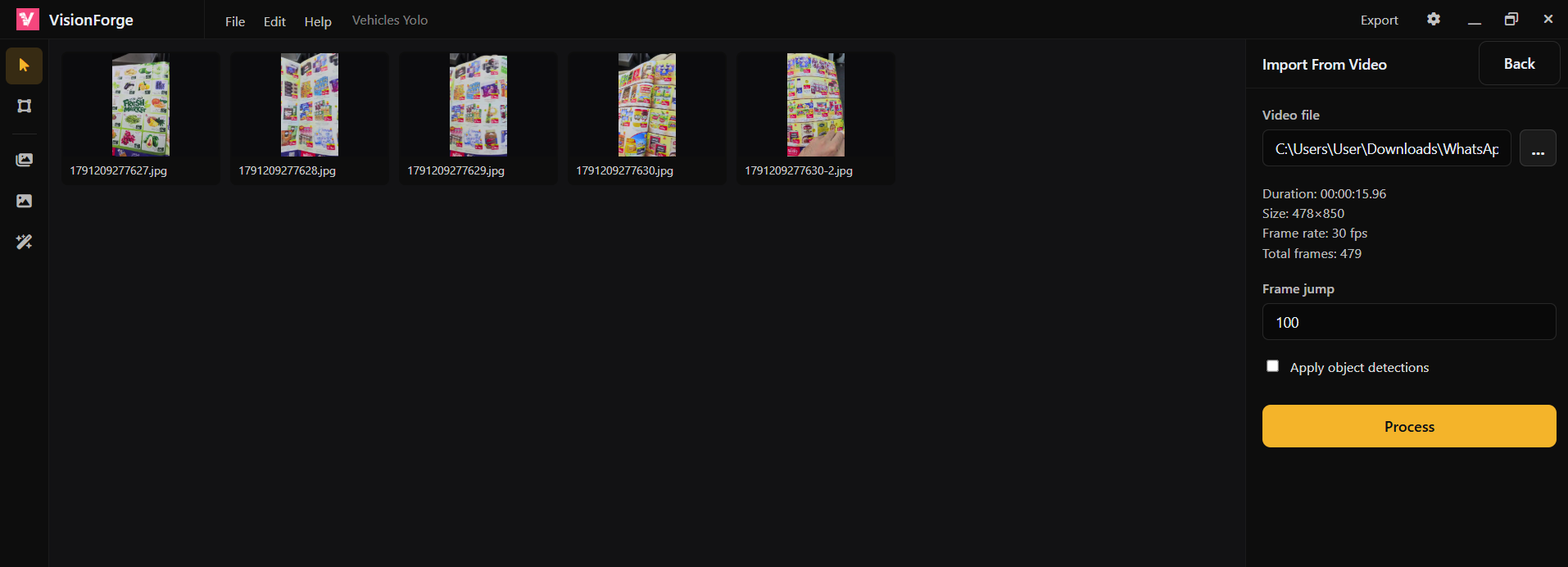
Add a video file and VisionForge takes frames out of it. The Import From Video screen shows duration, size, frame rate, and total frames. Set the frame jump to choose how far apart those frames are, then press Process. The frames are added as images in the asset strip.
Those frames are still images to label. The import does not track an object from one frame to the next. You annotate each picture in the project the same way you would annotate a folder of photos.
Choose an existing model
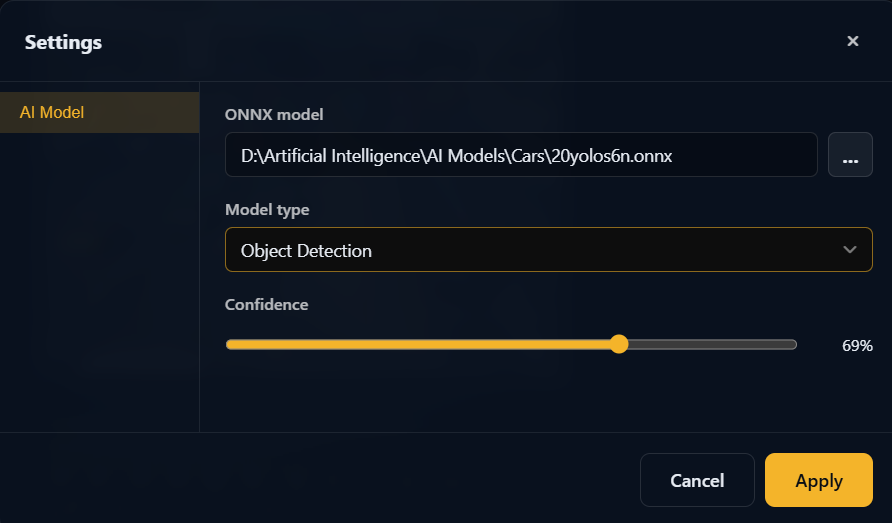
In Settings, under AI Model, select any existing ONNX model. Set the model type to Object Detection and set the confidence slider. That confidence threshold decides which detections are kept.
This is AI-assisted labeling, also called auto annotation. The model proposes boxes on the images. You review those boxes before they become training data, and the reviewed dataset can be used to retrain.
Label on the workspace
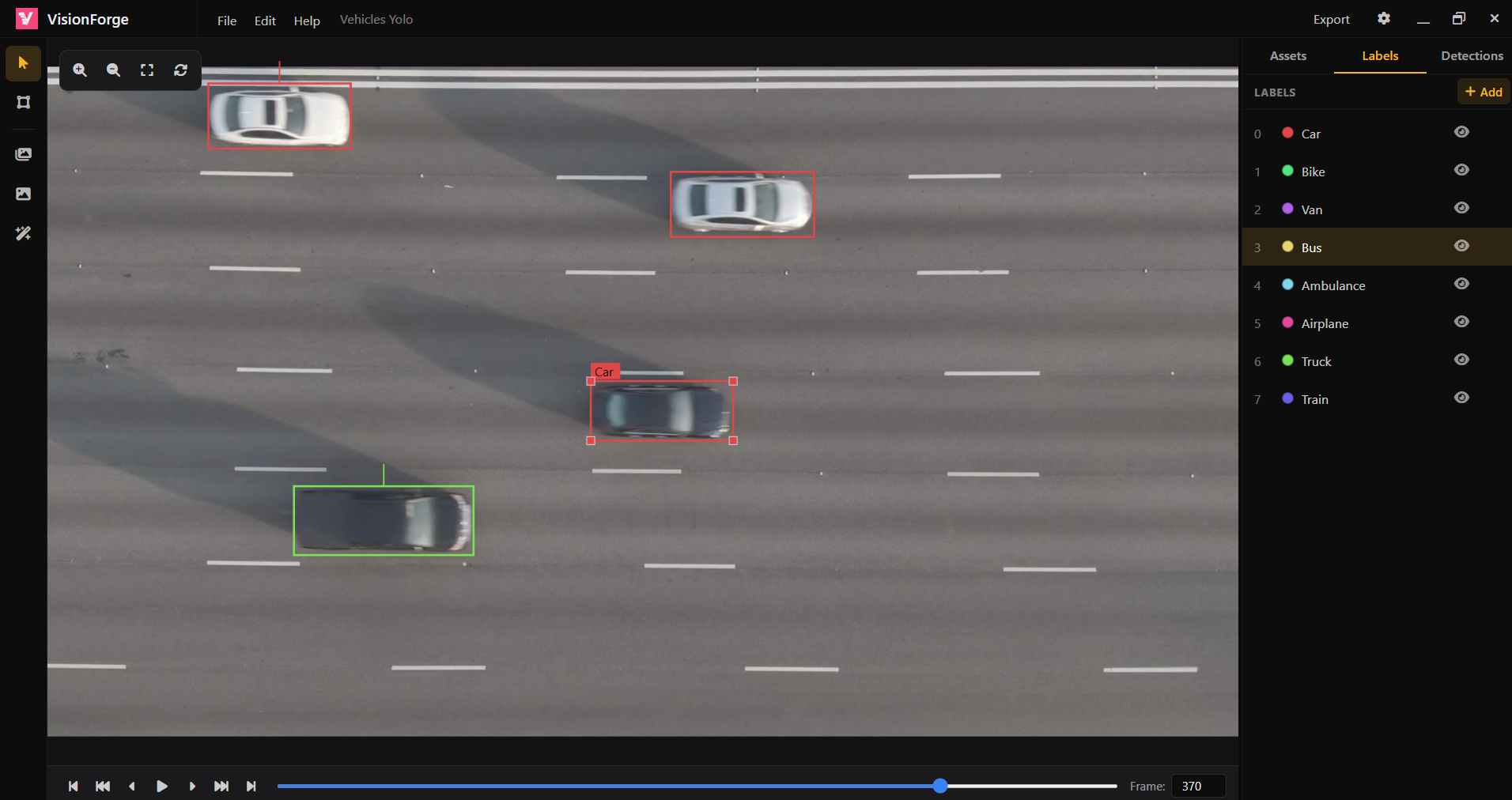
The workspace shows colored bounding boxes on the frame. The Labels list holds the classes for the project, such as Car, Bike, Van, Bus, and the rest. Assets, Labels, and Detections sit beside the image. You can zoom, and the playback bar steps through the frames.
To review annotations, check each colored box against the class list in that panel. Move or redraw a box that does not match the object, then step to the next frame with the playback bar.
Export YOLO or Pascal VOC
VisionForge is a YOLO labeling tool on a local Windows app. Export writes YOLO annotation files or Pascal VOC XML, plus the class list in classes.txt, from one .VFSln project. The project stays on your machine.
That export is the training data for YOLO training or a Pascal VOC dataset. VisionForge does not train the model. You take the label files to the training pipeline you already use.
Collaborate on the open source project
The VisionForge source is open on GitHub under the MIT license. Local setup needs Node.js 20+ and npm. If you want to collaborate, open an issue. The contributing guide covers how to submit a change.